
From functionality to navigation and coding integrity, a lot goes into creating an user-friendly website. It doesn’t end there, either. Every developers and designers must work collaboratively to produce website that will engage customers and stimulate conversions. When thinking about functionality, there are a few matters to consider. Namely, is the website functional in the literal sense? Are the site’s security features adequate for your business’s needs?
In addition to these operational issues, it’s crucial to view your website’s features from the user’s perspective. Are the contact forms, event bookings, customer feedback sections and other features of your site working properly? One or all of these functional issues can prompt a customer to leave your site. Keeping these things in mind, we at canUmeet are constantly improving the functionalities in our scheduling tool that can be of some real help to the users. This knowledge base totally focuses on some advance functionalities that canUmeet provides to individuals.
You can access these advanced features either while creating your events or while editing your events (One-to-One, Group or Team)
- Advanced Settings
- Pricing or Fee structure
- Form/Questions presented during booking
- Reminder and notifications
- Email Template and customization
Advanced Settings:
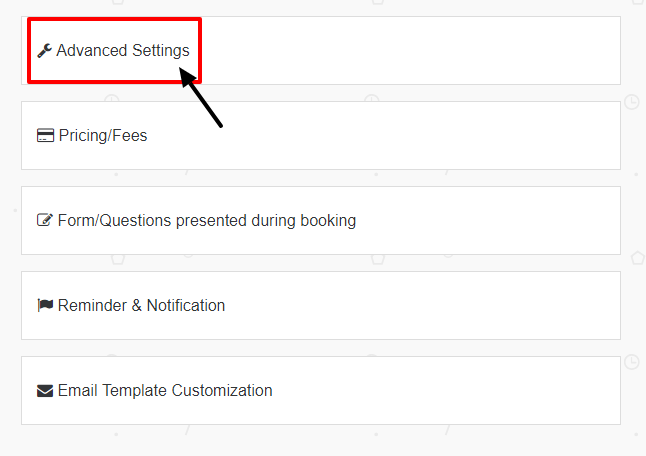
- Auto Confirm: There may be a possibility that you are unable to login to your canUmeet account for some reason and still want your schedules or appointments to be booked automatically. Keeping this in mind, canUmeet has provided users with Auto Confirm functionality which if enabled, all the schedules and bookings will be confirmed automatically and doesn't have to manually confirm their respective events. If you plan to manually confirm bookings later then you can do so by simply disabling this features. Enabling and disabling Auto confirm option is done using the toggle button provided for Yes or No.
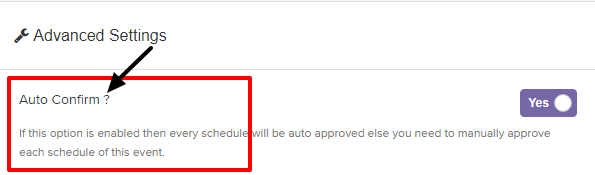
- Allow invitees to cancel his/her scheduled events: There may also be a possibility that the invitees want to cancel their scheduled events because of certain reasons. Keeping this in mind, CanUMeet has provided users option to either send or not send cancellation link along with the event confirmation link to their invitees. This cancellation link will only be be sent to the invitee if you have "Allow invitees to cancel his/her scheduled events" functionality activated.
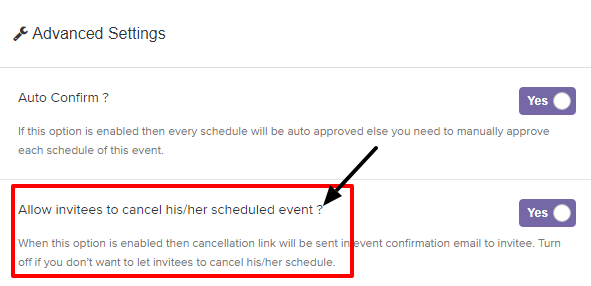
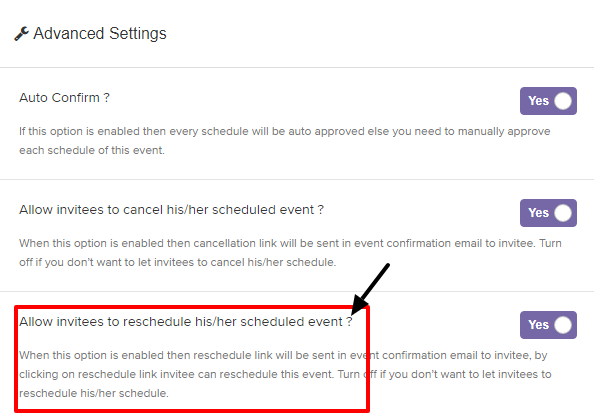
- Allow invitees to reschedule his/her scheduled events: There may also be a possibility that the invitees want to reschedule their scheduled events because of certain reasons. Keeping this in mind, CanUMeet has provided users option to either send or not send rescheduling link along with the event confirmation link to their invitees. This rescheduling link will only be be sent to the invitee if you have "Allow invitees to reschedule his/her scheduled events" functionality activated.
-
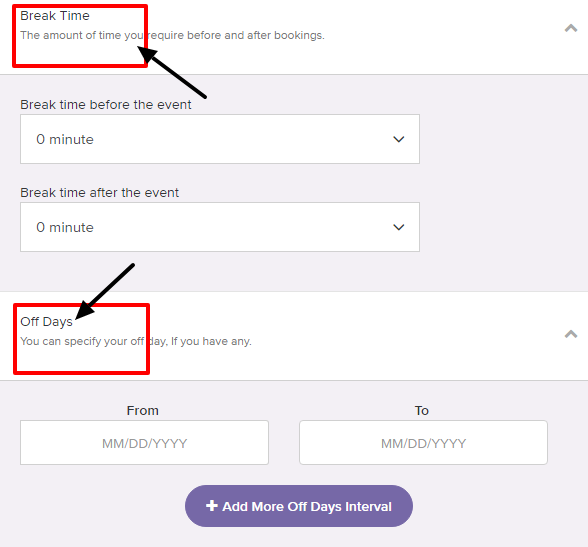
Break Time: At CanUMeet you can set your amount of time you require before and after bookings. Set your break time before the event and also after the event from Break time blocks.
-
Off days: Supposedly if you are on your vacations and you dont want to schedule any meetings. You can specify your off days or the time period in which you will be unavailable. Along with that you can add more interval of your off days if any!
-
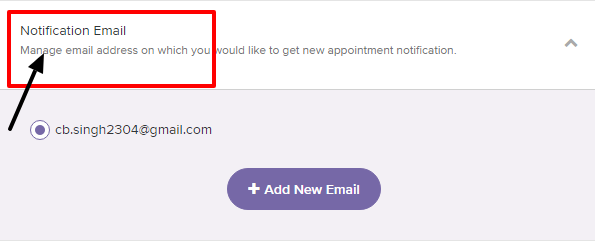
Notification email: Whenever you book an event, you get an confirmation mail for that event. If you want to manage your email address on which you would like to get new appointment notification, then this block is of real help to users. To continue, just add email address on which you wish get get your booked event notification and its done!
- Forms/Questions presented during booking: Now we would like to introduce you one of the most important feature of canUmeet which is creating your own forms while booking an event. Yes you read that right!! With this feature of canUmeet you can create your own forms while booking. Supposedly during a particular booking you need details of the intended person joining this appointment, then using this block you can create required form in seconds. We have provided all the required fields for a form which are:
- Full Name
- Short Text form
- Long Text form
- Phone Number
- Any Number field
- Dropdown
We have more fields if you want to create an extended form according to your requirements which are:
- Statement field
- Multiple choice field
- Data Field
- Website field
- Legal field
We have also provided flexibility to drag your form fields and position these fields according to your requirements. canUmeet team strongly recommends you to explore this feature more on your own to get a crystal clear notion on form creation.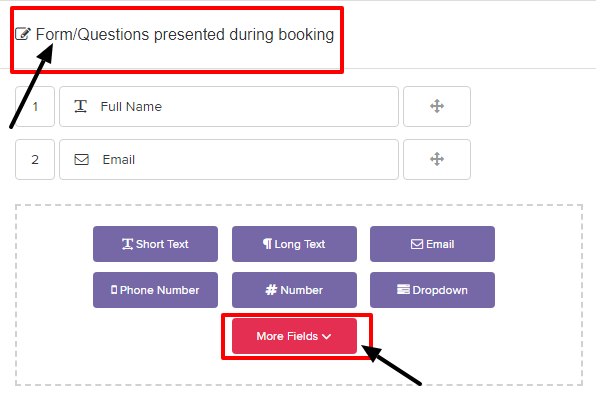
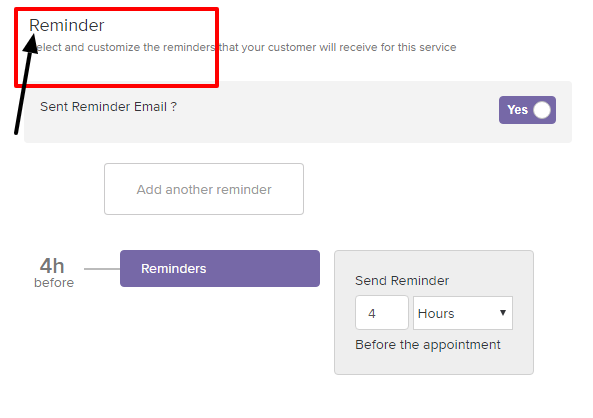
- Reminder: This block sets reminder time for your customer with regards to particular booking. You just need to input how much time before the appointment you want to send a reminder to the meeting attendees.
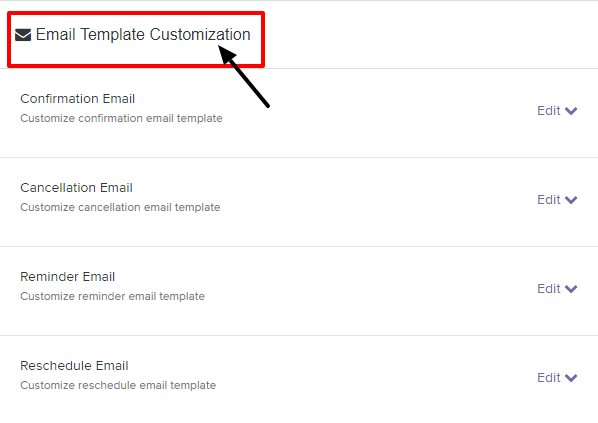
- Email Template customisation: It is always bit difficult for a beginner to frame business mails. So, instead of searching elsewhere, canUmeet already has some templates ready for you where you just need to input the desired information. Click on Edit and the selected email content will expand for you !
Currently, we have four email templates available for you:
- Confirmation email.
- Cancellation email.
- Reminder email.
- Reschedule email.
- Finally click on the Save button for all of these changes to take effect.
If you have any queries or suggestion regarding this features, please feel free to contact us at support@canumeet.com !!! We would love to help you and implement your suggestions if any.